Install CodeWalker and open your first world
Choose the right download, point CodeWalker at GTA V, and start a project without touching your original game archives.
Getting started
From your first camera movement to release-ready interiors. Pick a level, find a problem, and get back to building.
17 tutorials
Prefer a structured path?Choose the right download, point CodeWalker at GTA V, and start a project without touching your original game archives.
Learn the world camera, selection mode, transform widgets, Project Window and archive explorer without confusing their controls.
Place a small group of existing props, calculate the map bounds, and turn the result into a resource you can test.
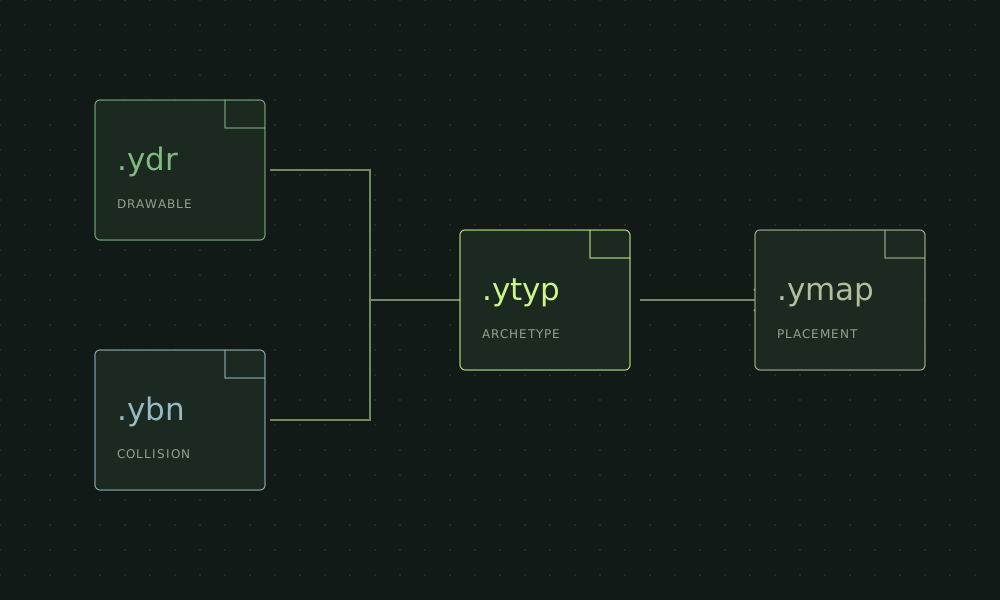
A practical guide to the files behind a FiveM map: what each one owns, what it does not own, and where to investigate a failure.
Set up a small, versioned asset pipeline and round-trip one original prop before committing to an entire interior.
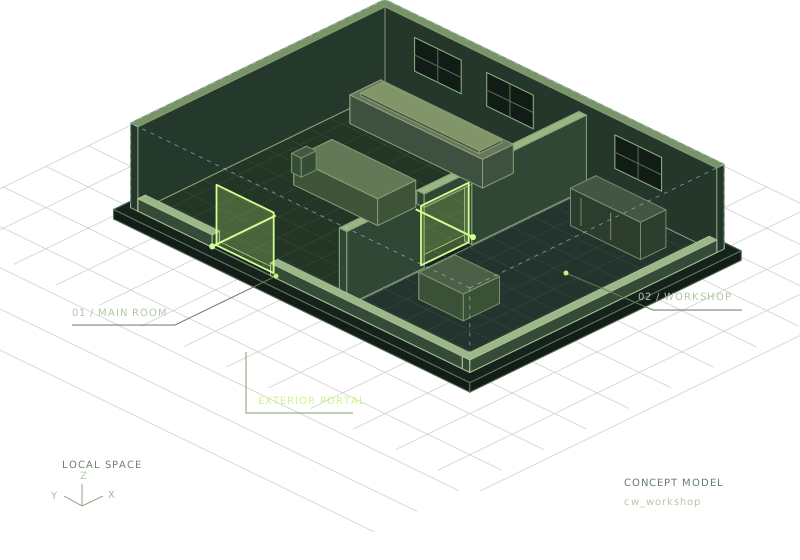
Build a small two-room interior with Blender, Sollumz and CodeWalker, then package and test it as a FiveM resource.
Use a two-room test to separate portal connectivity, room bounds and visibility problems from collision problems.
Separate visible geometry from collision and test floors, entrances and room boundaries with a reproducible route.
Build a clean resource, register custom YTYPs, start it on a development server, and verify the delivered files.
Establish a repeatable camera route, measure changes, and distinguish geometry, textures, visibility and streaming costs.
Use the symptom to choose the next check instead of cycling through cache deletion, draw-distance changes and random flags.
Package a matched set of assets, test realistic approaches and transitions, and prepare a rollback before distributing a map.
Identify your XML format, convert supported prop placements to YMAP, then check native output and package it for a FiveM test server.
Diagnose CodeWalker startup errors, a black viewport and a missing GTA V world with staged checks for extraction, game paths, graphics and build compatibility.
Distinguish deleting your own YMAP placements from overriding vanilla map data, collision, LODs and scripted props. Keep changes isolated and reversible.
Identify a GTA V object in CodeWalker, distinguish its archetype from its placement, and check dependencies before using a prop name in a FiveM map.
Understand which parts of the CodeWalker mapping workflow run in a browser or Blender on macOS, and where Windows compilation and FiveM tests are still needed.
Try a broader term or a different level.
Get CodeWalker, open the world, and make your first change.